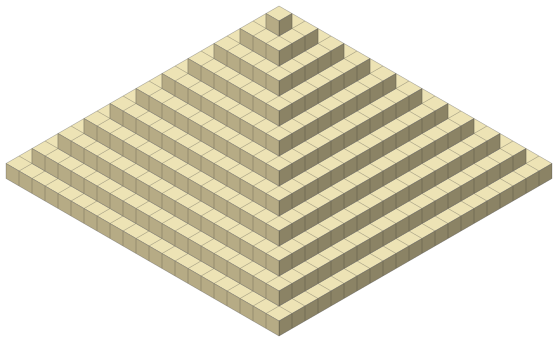
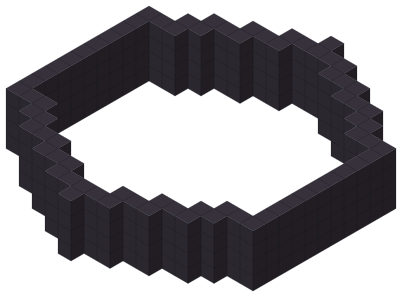
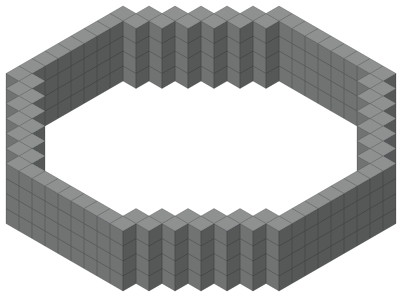
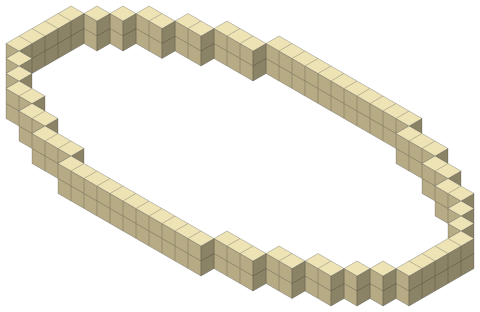
How to make a circle in Minecraft: pick a size, then place the blocks row by row, the way the plan shows. A 21-block circle needs 56 blocks for a 1-block outline.
1 layer
Circle 21
56 blocks0×64+560 placedShared build
Java Edition
Bedrock Edition
Image
Building 3D view… the 2D plan already works.
3D needs WebGL, which this browser has turned off. The 2D layer view has everything you need.
Exact game grid, rule shownWorks offline after the first visitNo account, no uploadJava and Bedrock
Circle with numbers
The numbers tell you how many blocks to put in a row before you step one block in. For a 25-block circle, start at the top edge and go to the side:
7blocks
2blocks
2blocks
1block
1block
2blocks
2blocks
7blocks
Do the same in all four quarters and the circle closes. The 21-block circle goes 7-2-1-1-1-2-7. The generator shows these numbers for every size, next to the grid.
Size = diameter. Type how many blocks wide you want it. Know the radius? Type twice the radius plus one.
Java and Bedrock. The block grid is the same in both. Files: .litematic and .schem for Java, .mcstructure for Bedrock.
3D. Turn the picture around in 3D, and press + under How tall for a round wall or tower. Want a ball or a round roof? Use the sphere or dome maker.
Commands. Put it in my world can give you a .mcfunction file with /fill and /setblock commands, for Java or Bedrock.
Stairs and slabs: not yet. Plans use full blocks only.
Pick the size. Tap Small, Medium, Big or Huge, or switch on Expert mode and type any size. Odd sizes (25) have one centre block, even sizes (24) a centre between four blocks.
Pick the wall. Outline for a thin ring, Thick wall for 2 blocks, Solid for a floor. In Expert mode: thin, thick (no diagonal gaps) or filled, plus the exact thickness.
Read the pattern. The quarter pattern (7-2-2-1-1-2-2-7 for 25) is how many blocks to place in a row before you step in or out. Coordinates count from the true centre.
Build or export. Press Start building and tap blocks as you place them, or use Put it in my world for a Litematica, WorldEdit or Bedrock file.
Questions builders ask
How many blocks is a 25 block circle?
68 blocks for a 1-thick outline and 489 to fill it. Each quarter goes 7-2-2-1-1-2-2-7 from the top edge to the side. See the 25 circle layer plan
Why does my circle look different from another generator?
We place a block when its centre is inside the circle (the edge counts as inside), and we show that rule next to every grid. Odd sizes have one centre block; even sizes have their centre on the corner between four blocks. Generators that round differently give a slightly different outline for the same size.
Can I paste it straight into my world?
Yes. Download a .litematic (Litematica) or .schem (WorldEdit) for Java, or an .mcstructure (structure block) for Bedrock. The .mcfunction file places it with /fill commands. Big Bedrock builds are split into 64 × 64 pieces automatically.
Thin, thick or filled: which wall do I need?
Thin is the smallest outline: blocks touch at the corners, which looks smooth from above. Thick adds a block at every diagonal step, so the wall has no gaps you can walk or see through. Filled gives the whole disc, for floors and platforms.
How do I make a circle building in Minecraft?
Make the circle first, then stack it. Pick a size, choose Thick wall so there are no gaps, and press + under How tall to add layers: that gives a round wall or tower. Dome on top adds a round roof. Build it one layer at a time and keep a door gap where you want one. Open the round tower maker
Is the size the radius or the diameter?
The size is the diameter: how many blocks wide the circle is from one edge to the other. If a plan gives you a radius, type twice the radius plus one (radius 10 is size 21). Odd sizes have one middle block, which makes the centre easy to find.
Can it make circles with stairs and slabs?
Not yet. Every plan uses full blocks only, so you know the exact block count. You can still add stairs or slabs on the outside steps by hand to make the curve look smoother.
Does it work on my phone while I build?
Yes. Build mode shows one layer at a time with big cells, tells you how many blocks to place next, and remembers what you marked as placed on that phone. No account needed.